
 How to Plan Your Week in 20 Minutes (So It Actually Gets Done)
A 20-minute Sunday or Monday routine that turns a crowded head into three outcomes with real times on them.
How to Plan Your Week in 20 Minutes (So It Actually Gets Done)
A 20-minute Sunday or Monday routine that turns a crowded head into three outcomes with real times on them.
Back to blog
What is time blocking? How to plan a whole day on paper
Five steps, a filled-in example day and the habit that keeps a paper plan from falling apart by lunch.
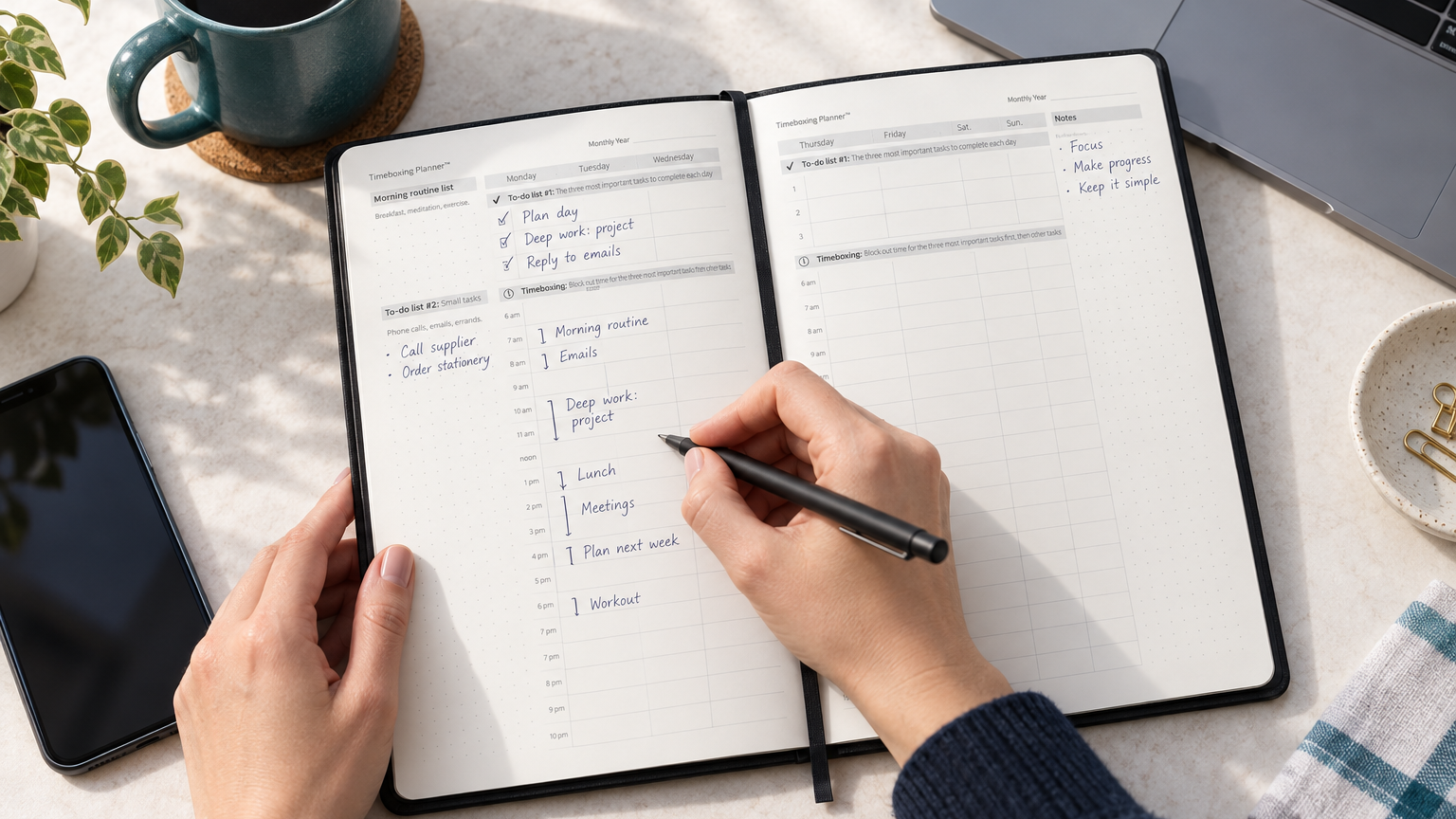
Time blocking is a way of planning your day by reserving parts of the calendar for kinds of work, such as email, meetings or deep work, before the day begins. Instead of choosing what to do next from an open list, you decide in advance what each hour is for and then protect that time.
It sounds simple, and it is. The value lies in the trade-offs it makes visible: a day only holds so many hours, and a written plan shows at once whether your priorities fit inside them.
Time blocking or timeboxing?
Many people use the two words interchangeably, and the difference is small but useful. Time blocking reserves a stretch of time for a type of work. Timeboxing gives one specific task a fixed start and end time, and the work stops when the box ends. We go into the details in timeboxing vs. time blocking; in practice, a good paper plan uses both.
How to time block your day in five steps
- Pick three priorities. Before you touch the schedule, choose the three things that matter most today. Everything else waits on the list.
- Estimate honestly. Next to each priority, write how long it really takes, then add a little. Most of us guess short on work we have not done before.
- Block the fixed hours first, with buffers. Meetings, calls and appointments go in first. Leave 15 open minutes after anything that tends to run over.
- Give each block a start and an end. "Report, 9:00–11:00" is a plan. "Work on report" is a wish.
- Set one if-then trigger for the first block. Decide the moment you begin, for example: "If it is 9:00 and I am at my desk, then I open the report." Our guide to if-then planning shows how to write one.
An example Tuesday, time blocked
Here is an example of one working day, written out the way you would on a paper page. The tasks are illustrations, not a template you have to follow.
| Time | Block | Kind of work |
|---|---|---|
| 8:00–8:30 AM | Plan the day, choose the three | Planning |
| 8:30–10:30 AM | Priority 1: draft the quarterly report | Deep work |
| 10:30–10:45 AM | Buffer | Open |
| 10:45–11:30 AM | Email and messages | Shallow work |
| 11:30 AM–12:30 PM | Team meeting | Fixed |
| 12:30–1:30 PM | Lunch and a walk | Break |
| 1:30–3:00 PM | Priority 2: client proposal | Deep work |
| 3:00–3:15 PM | Buffer | Open |
| 3:15–4:15 PM | Priority 3: review the budget | Focused work |
| 4:15–5:00 PM | Calls, admin, plan tomorrow | Shallow work |
Notice that the three priorities take about four and a half of the nine hours. The rest goes to a meeting, messages, lunch and two short buffers, which is what most real working days look like.
Time blocking on paper or in an app
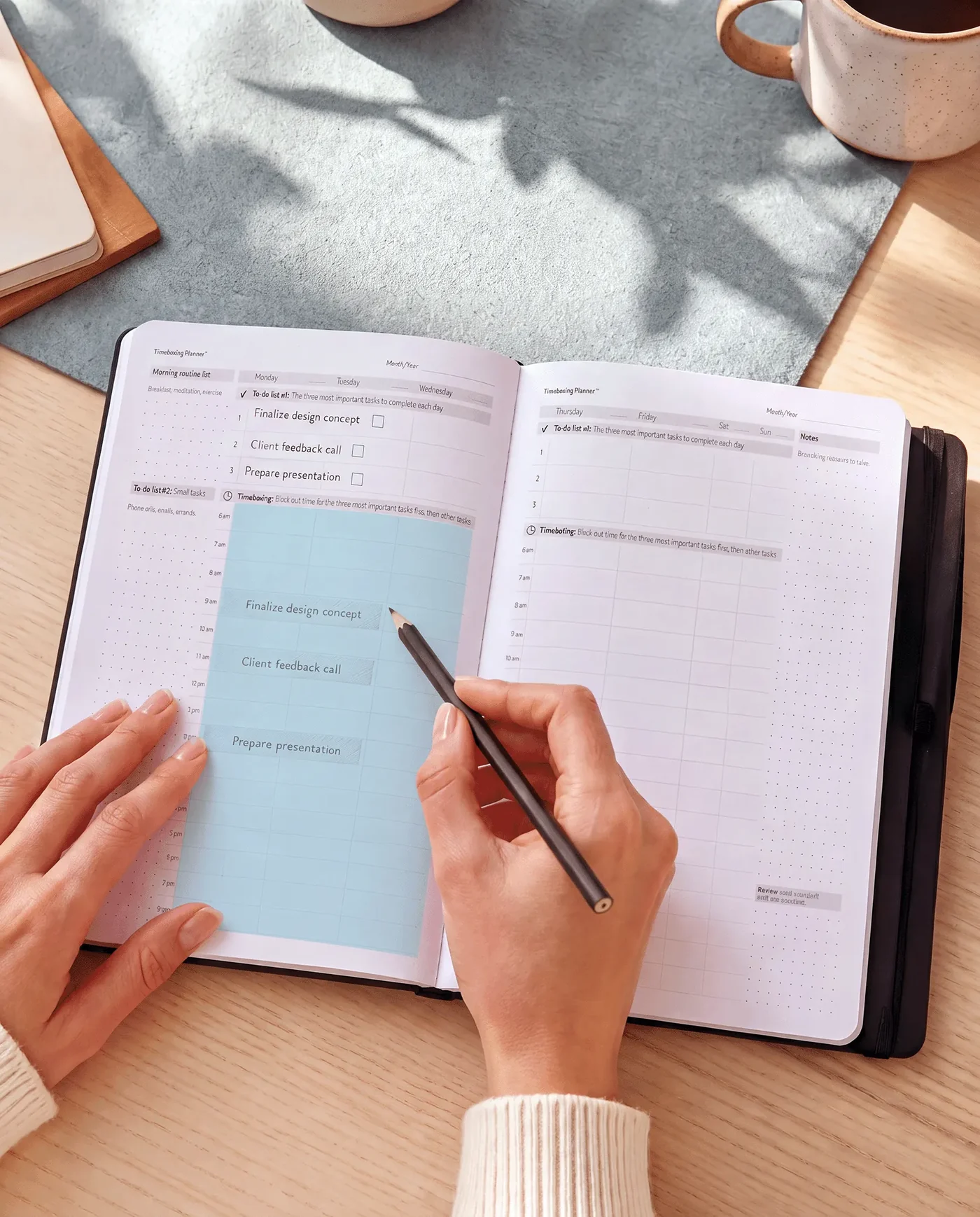
Most search results for time blocking are apps, and apps do some of it well: shared calendars, reminders, moving a meeting with a drag. Paper is good at a different part. A page open on the desk shows the whole day at a glance, sends no notifications, and makes you rewrite a block when you move it, which is a small, useful brake on overplanning. A common split is to leave meetings in the shared calendar and keep the day's three priorities, with their blocks, on a paper page.
Three mistakes that break a time-blocked day
- No buffers. One meeting that runs 20 minutes long pushes every block after it. Two short open blocks absorb that.
- Packing every hour. A plan with no room for messages and breaks is usually abandoned by lunchtime. Block less than you think you can do.
- Never reviewing. Five minutes at the end of the day, comparing what you planned with what happened, is how your estimates get better.
Daily or weekly page?
A daily page suits days with many short commitments, because each hour gets its own line. A weekly spread suits work that runs longer than a day, because you can see where the big blocks land across all five days. The Timeboxing® Weekly Planner combines both: a two-page spread for the week with to-do lists, a brain dump and timeboxing, plus a daily planner with an hourly schedule. If you prefer one page per day, the spiral-bound Timeboxing® Daily Planner gives every day its own to-do lists and hourly schedule.
Try it tomorrow
Tonight, write down tomorrow's three priorities, give each a Start & End Time, and decide the moment you begin the first one. That is the core of the Action Day® Method, TO-DO → TIMEBOX → DO → DONE™, which how it works explains step by step. If the day falls apart by noon, move the remaining blocks and keep the three.
Frequently asked questions
What is time blocking?
Time blocking is a planning method in which you divide the day into blocks and give each block one kind of work, such as deep work, email or meetings. You decide the blocks before the day starts, so important work has a reserved place instead of whatever time happens to be left over at the end.
What is the difference between time blocking and timeboxing?
Time blocking reserves time for a type of work; timeboxing sets a fixed start and end time for one specific task and stops when the time is up. Many people use the words interchangeably. A practical combination is to block your mornings for deep work and timebox the single task you will finish inside that block.
How long should a time block be?
There is no research-backed ideal length, so treat this as practical advice. Blocks of 60 to 90 minutes suit focused work for many people, followed by a short break. Shallow tasks such as email work better in shorter blocks of 30 to 45 minutes, grouped together so they do not interrupt the longer ones.
What if my day is unpredictable?
Block less of it. If interruptions take half your day, reserve one or two blocks for your most important task and leave the rest open for whatever arrives. Two protected blocks are better than none, and a plan that admits the interruptions is one you will still be following at three in the afternoon.
Is it better on paper or in an app?
Both work, and they are good at different things. An app shares your calendar and sends reminders. Paper keeps the plan in front of you without notifications and makes every change deliberate. Many people keep meetings in a digital calendar and write the day's three priorities and their time blocks on paper.
Does time blocking work?
No study has tested time blocking on its own, so we will not promise a number. A December 2018 Harvard Business Review article reported a ranking of 100 productivity techniques by Filtered in which timeboxing came out as the most useful; that is a ranking of what people found useful, not an experiment. The honest test is your own: try it for two weeks.
Keep reading
Related articles
How to Plan Your Week in 20 Minutes (So It Actually Gets Done)
A 20-minute Sunday or Monday routine that turns a crowded head into three outcomes with real times on them.
 If-Then Planning: How to Write a Trigger That Gets You Started
How one sentence decided in advance gets you started, what the research says, and how to write your own.
If-Then Planning: How to Write a Trigger That Gets You Started
How one sentence decided in advance gets you started, what the research says, and how to write your own.
 Meeting Notes Examples: Four Formats, Filled In
Four meeting formats written out in full, so you can copy the one that fits your next meeting.
Meeting Notes Examples: Four Formats, Filled In
Four meeting formats written out in full, so you can copy the one that fits your next meeting.
